
Best song request app for 2027
What makes the best song request app for 2027? Here is everything SpecialRequest does for DJs and the people dancing in front of them, from the first booking to the final track of the night.
The SpecialRequest team · · 7 min read
Every DJ knows the moment. You're halfway through a blend, one ear in the headphones, and someone leans over the booth with their phone held up, shouting a song title you can barely make out. You nod. They walk away happy. Two tracks later, you've forgotten it.
Song request apps exist to fix that moment. Guests send songs from their phone, the room votes, and you decide what plays. It's a simple idea. The hard part is pulling it off without getting in the DJ's way, and that's where most of our work on SpecialRequest has gone.
We build it, so of course we think it's the best song request app for 2027. Rather than ask you to take our word for it, here's everything it does. You can decide for yourself.
The short version
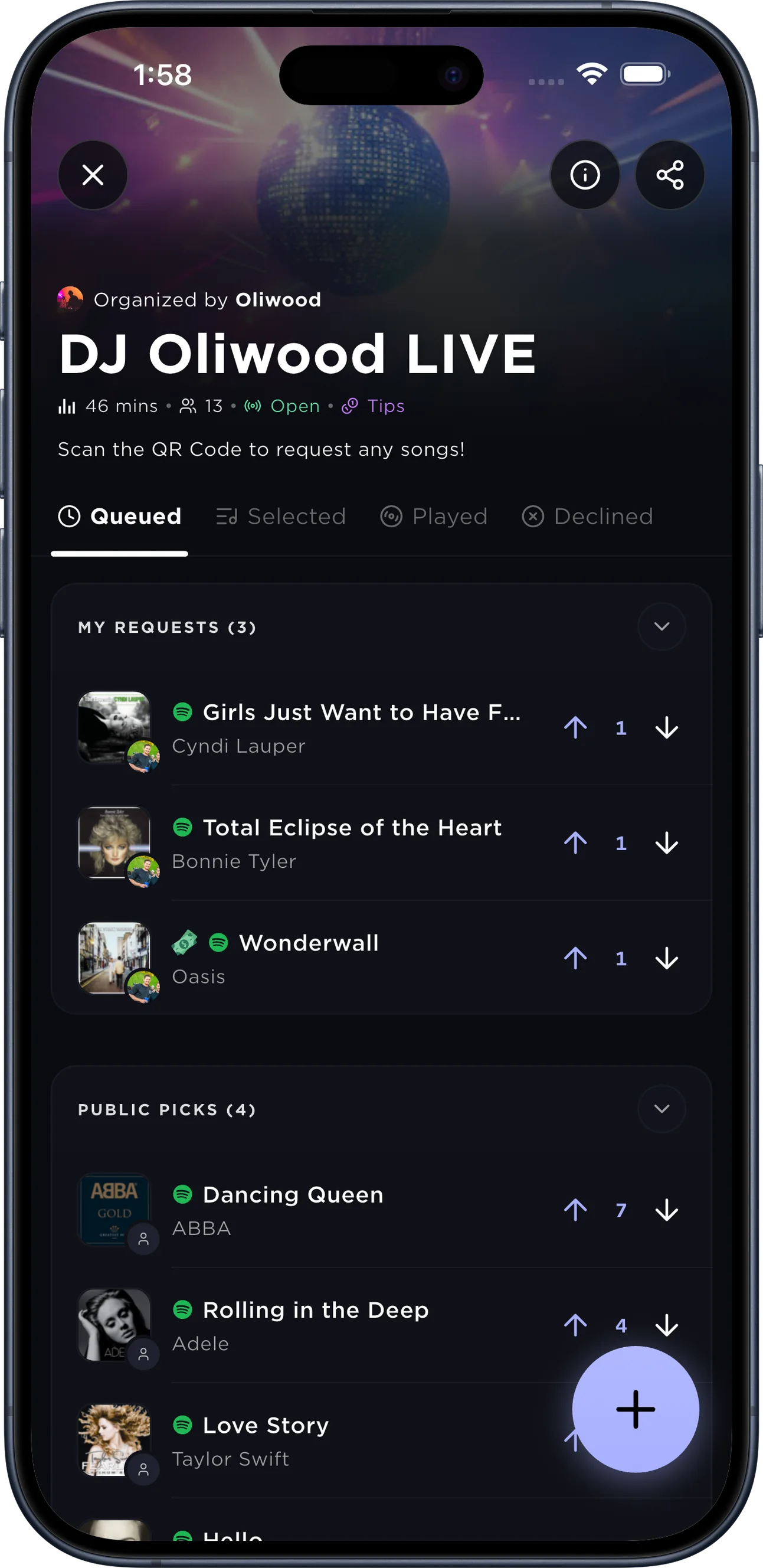
SpecialRequest is free to start. You create an event, put its QR code where people can see it, and guests send requests from their browser without downloading anything. Everyone votes on everyone else's picks, which tells you what the room actually wants to hear, and you stay the one who decides what plays. And if they want to thank you, they can tip with the request.
Premium adds the tools working DJs end up wanting. A playlist that follows your set into your DJ software, each request's BPM and key, a booking page, and an automatic thank-you email that can bring in your next gig.
Before the night
Setting up an event takes a couple of minutes, in the app or on the web. Give it a name, a picture (a photo, or a GIF straight from GIPHY), a date and the hours. Date not confirmed yet? Save it as a draft and finish it later. Playing the same bar every Friday? Duplicate last week's event instead of starting from scratch.
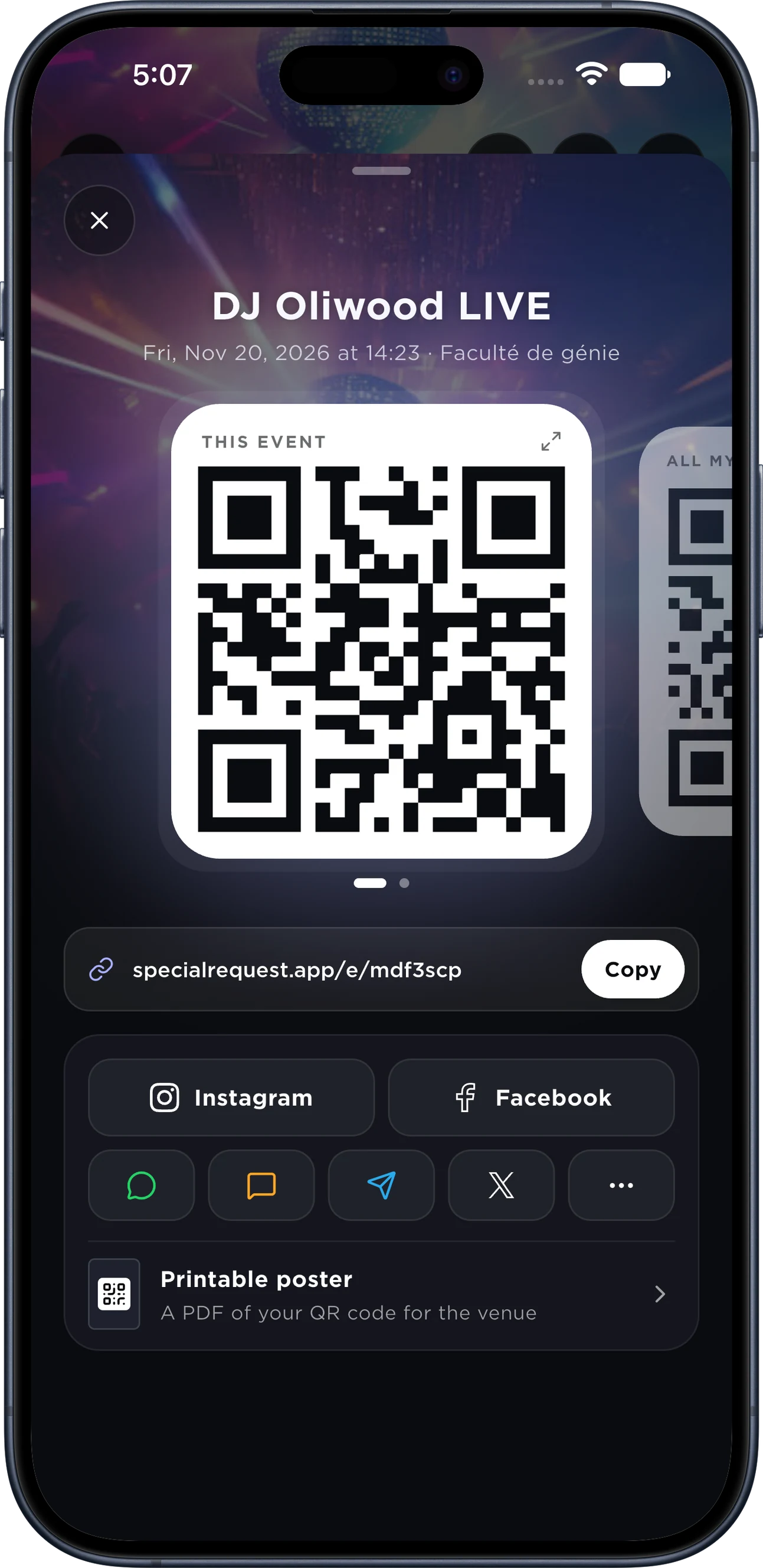
Each event comes with a QR code and a short link of its own. Print the code on table cards, slip it into the wedding invitation or put it up on the screen behind the booth. Guests scan it and land on the event page in their browser. Requests can open weeks before the party, which couples love, because their guests get to suggest songs long before the big day. The guide on creating an event covers every field.
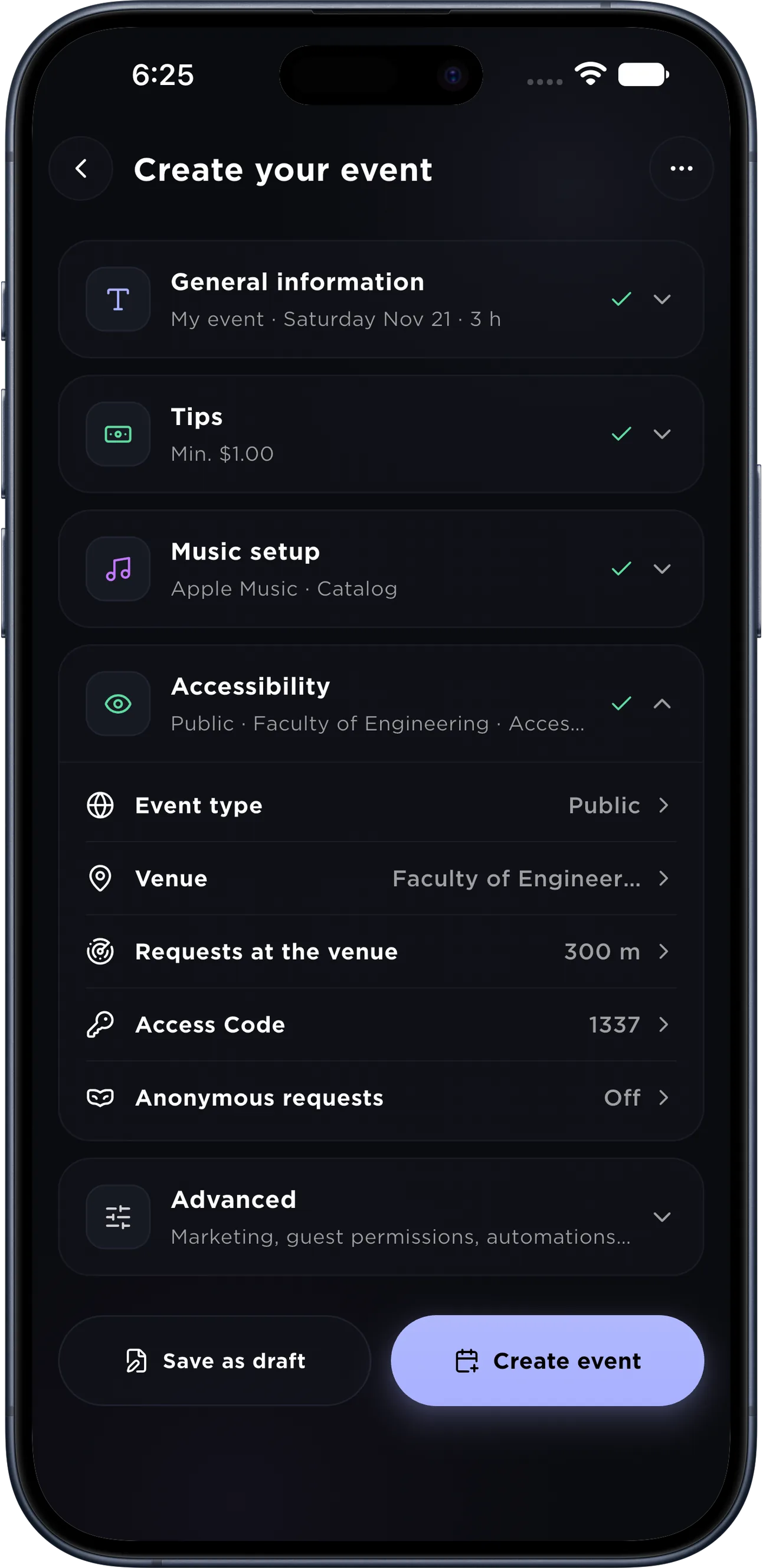
You also decide how open the floor is. An access code keeps a private party private, and the explicit filter keeps the lyrics family friendly. You can cap how many songs each guest asks for and make them wait a little between two requests. With Premium, venue-only requests make sure only the people actually in the room can send one.
Then there's the music. Out of the box, guests search the whole catalog of Tidal, Spotify or Apple Music. If you'd rather keep things on brand, you can add songs of your own for guests to vote on, and Premium lets you limit requests to one of your own playlists or import a playlist to turn it into song suggestions.
Premium also makes the event look like yours. Pick a color preset or your own shades for the page guests see, greet them with a welcome message (your image or icon, a title, a few words and a button), and print a poster for the venue. Start from a ready-made design or build your own around the event's QR code, then export it as a PDF, PNG or JPEG.
During the night
This is where SpecialRequest earns its spot in the booth.
Requests show up on your screen the moment they're sent, and the crowd votes on them as the night goes. Guests follow along in four tabs (pending, selected, played and declined), so nobody has to walk up and ask whether their song is coming. On your side, one tap is enough to take a request, turn it down, mark it played or make the guest a VIP, and you can switch to compact rows when the list gets long.
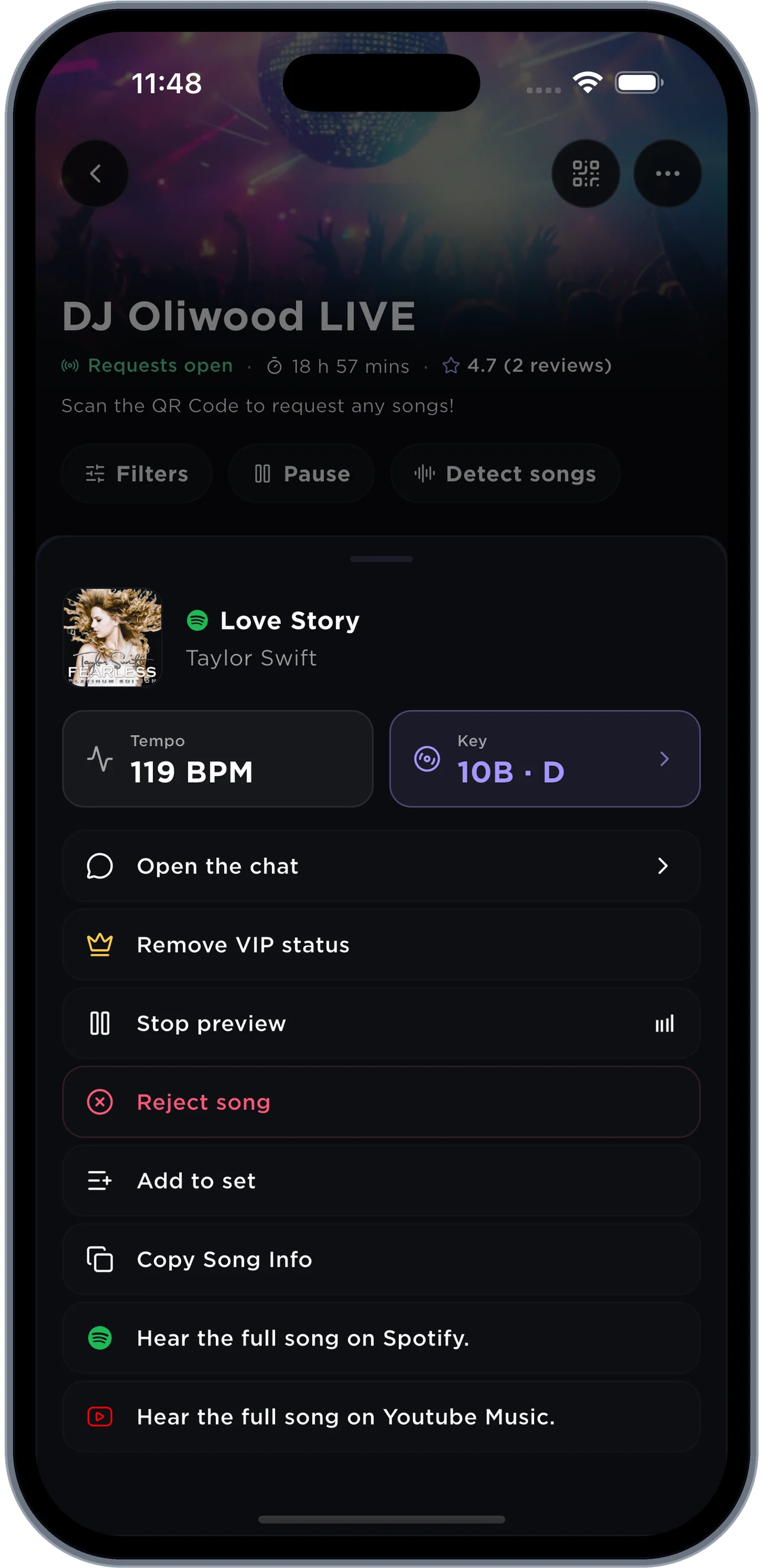
With Premium, when you turn a song down, the guest finds out why, with a ready-made reason or your own words. You can also play a short preview of a request to check that it fits the vibe, and see its BPM and Camelot key so it slides into your mix.
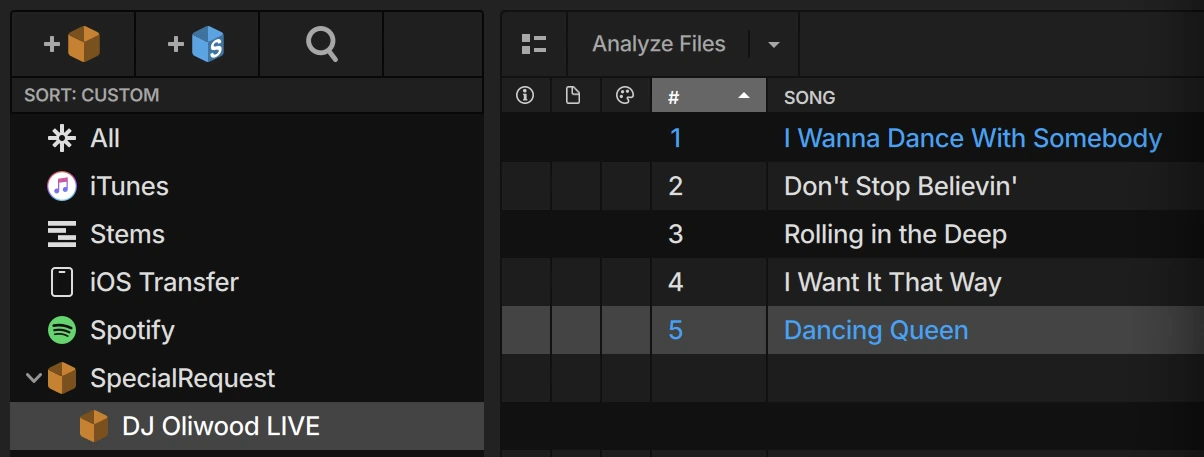
The part DJs tend to like most is the link with their DJ software, which comes with Premium. Each song you say yes to goes into a playlist on Tidal or Apple Music, one that Serato, rekordbox, djay and VirtualDJ can all open, so your requests are right there in the software you already use. On a computer, the desktop app goes further. It matches accepted requests with your own files, in a Serato crate or a playlist, or lets you drag them into any DJ software. The setup is in the guide on syncing your DJ software, and this article compares the three ways to link it.
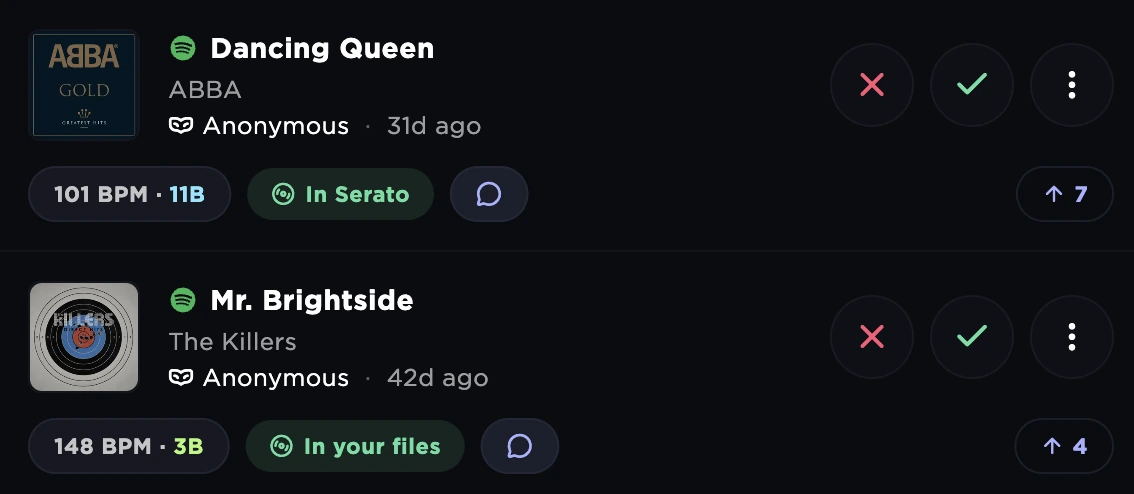
Premium has a few more things for packed nights. Give the newlyweds, the host or the guest of honor a gold crown, and their requests go straight to the top while your phone lets you know. Hit pause when you need a breather, for a set time or until you reopen requests, with a short note for your guests. And when a guest has something to tell you, they can message you right from their request.
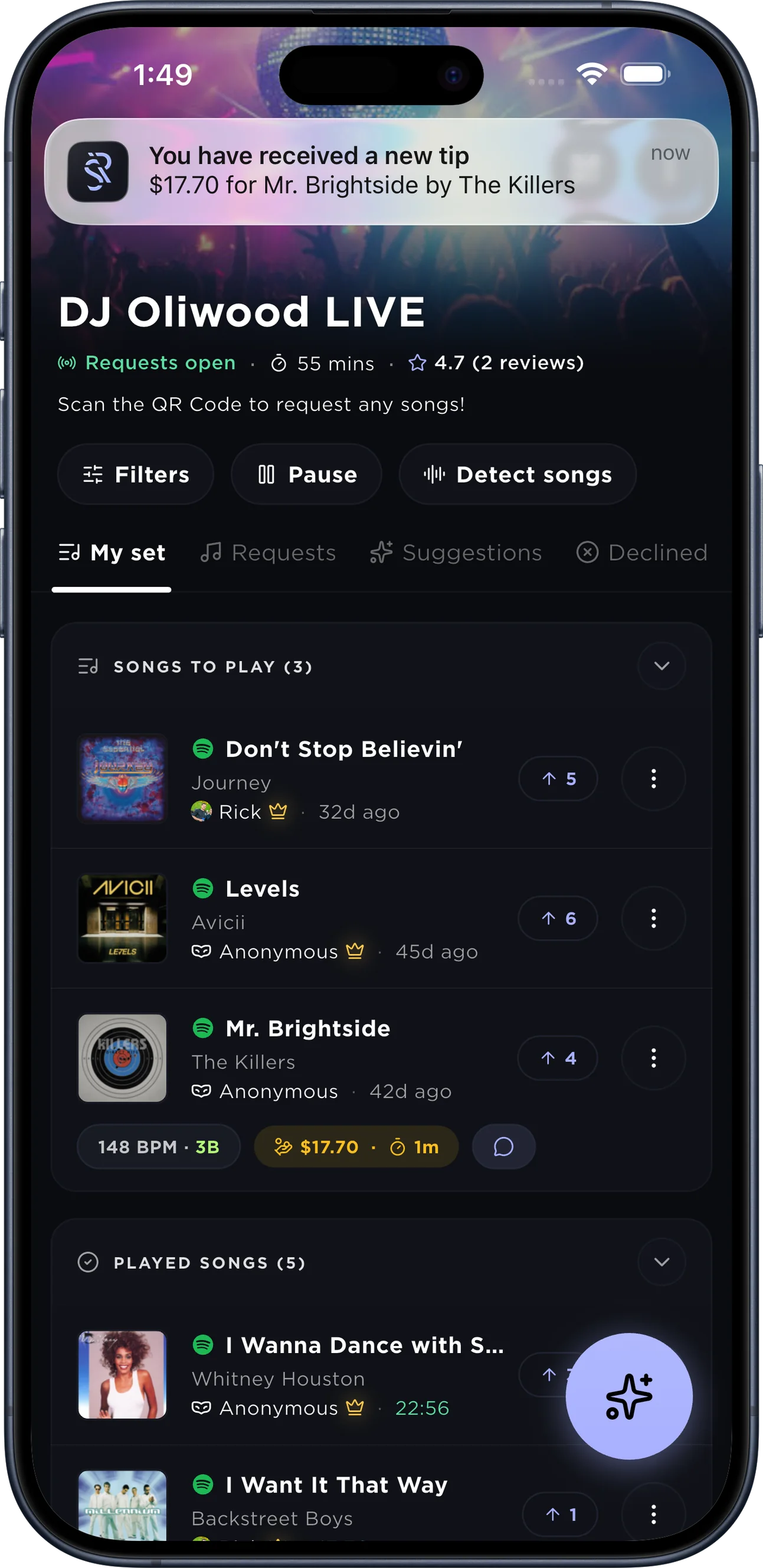
Now, tips. Guests pay by card, through Stripe, but nothing is charged right away. The card is held, and the money only moves once the song is detected playing live, so people only pay for songs they actually hear. Song detection is part of Premium. Each tip costs you 10% plus 30 cents, Stripe included, and what's left goes to your wallet, then to your bank about a week after the show. The guide on receiving money explains each step.
After the last song
The night isn't over when the lights come on. With Premium, your guests get a thank-you email after the event, with a button to book you. It might be the easiest marketing you'll ever do. See the guide on promoting yourself after an event and the one on taking bookings online.
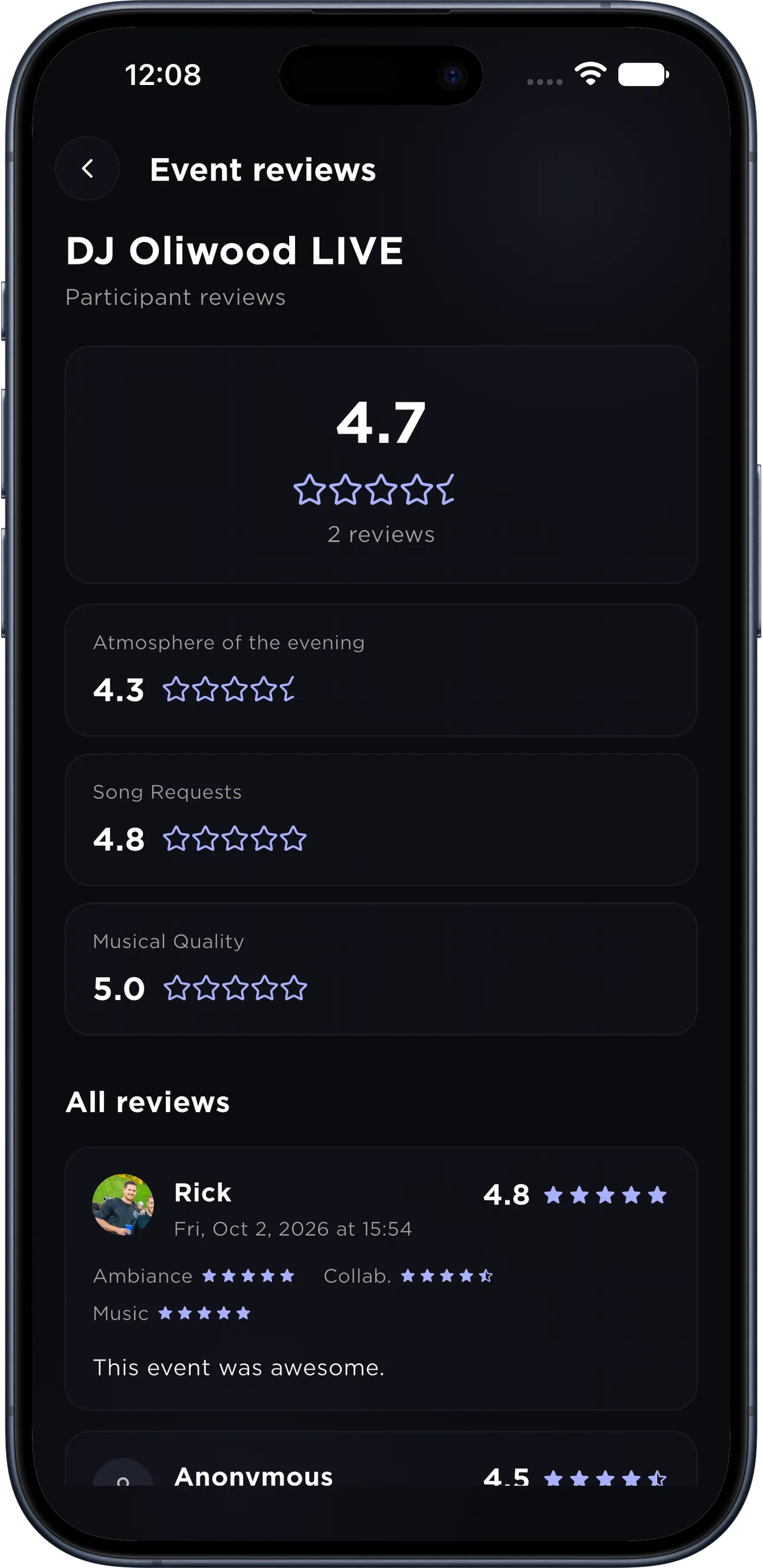
Premium also lets guests give the night a rating and a few words, so you find out what worked, and its advanced statistics show how each night and each season went, with a recap image to share. Achievements are free for everyone, DJs and guests alike, and turn out to be a fun little reason for people to keep coming back.
Premium takes care of the business side as well. Your booking page gives clients a simple way to ask for a date, and the agenda keeps your events and bookings in one calendar. Your artist page lists all your public events and has a QR code of its own, and guests can follow you to hear about your next nights.
Where it works
SpecialRequest runs on iPhone, iPad, Android, Mac and the web, with the same account everywhere. Guests don't need any of that. A phone with a browser is enough, although the app gives them a few extras, like a map of venues and a way to follow their favorite DJs. Everything is available in English, French and Spanish, and if you get stuck, there's a live chat with our team right in the app.
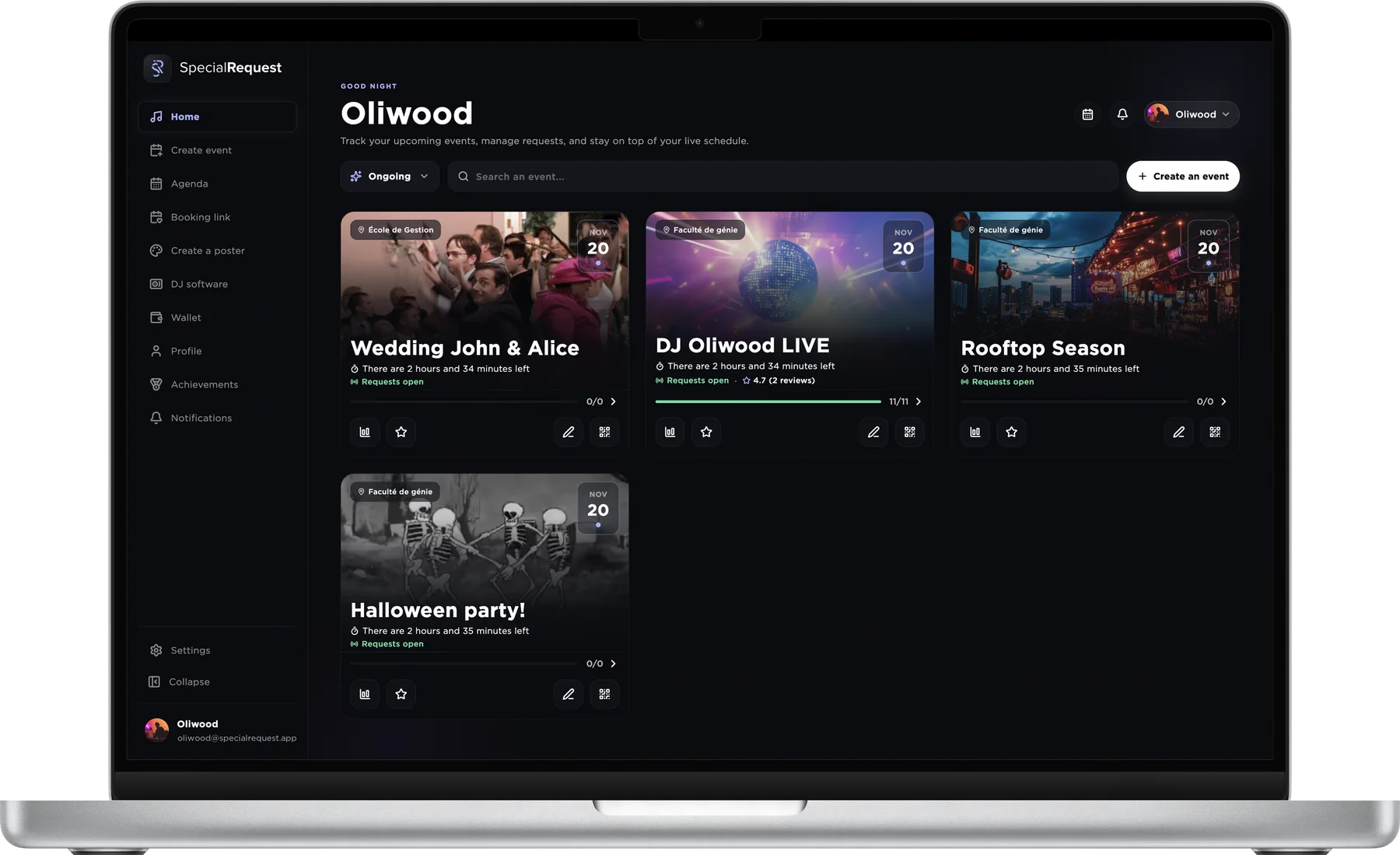
What it costs
The free plan does more than most people expect. As many private events as you like, with no cap on guests or requests. Each one gets its QR code and link to share, voting, search in Tidal, Spotify or Apple Music, requests ahead of time and on the night, access codes and the explicit filter. Public events at your venue are free too, and so are the apps on every device. Tipping comes with the free plan too, though collecting the money takes Premium's song detection.
On the free plan, guests see an ad on your event page. Premium takes that ad off and adds every Premium feature mentioned above. It's US$6.99 per month, US$59.99 per year, US$17.99 for a three-month season pass or US$149.99 once, for good. The pricing page shows the other currencies.
So, is it the best song request app for 2027?
We think so, but we would. The honest answer depends on how you play. If you want your crowd involved without losing control of the music, if you'd rather see requests in your DJ software than on a napkin, and if you like the idea of a thank-you email doing your marketing for you, give it a spin at your next event. The free plan costs nothing, and setting it up takes less time than your soundcheck.
Try SpecialRequest at your next event
Free to start, on iPhone, Android, Mac and the web.