The musical atmosphere in your hands.
The go-to app for DJs to receive song requests and tips from the crowd.
No app required for guests!
Available on iOS, Android, macOS and Web
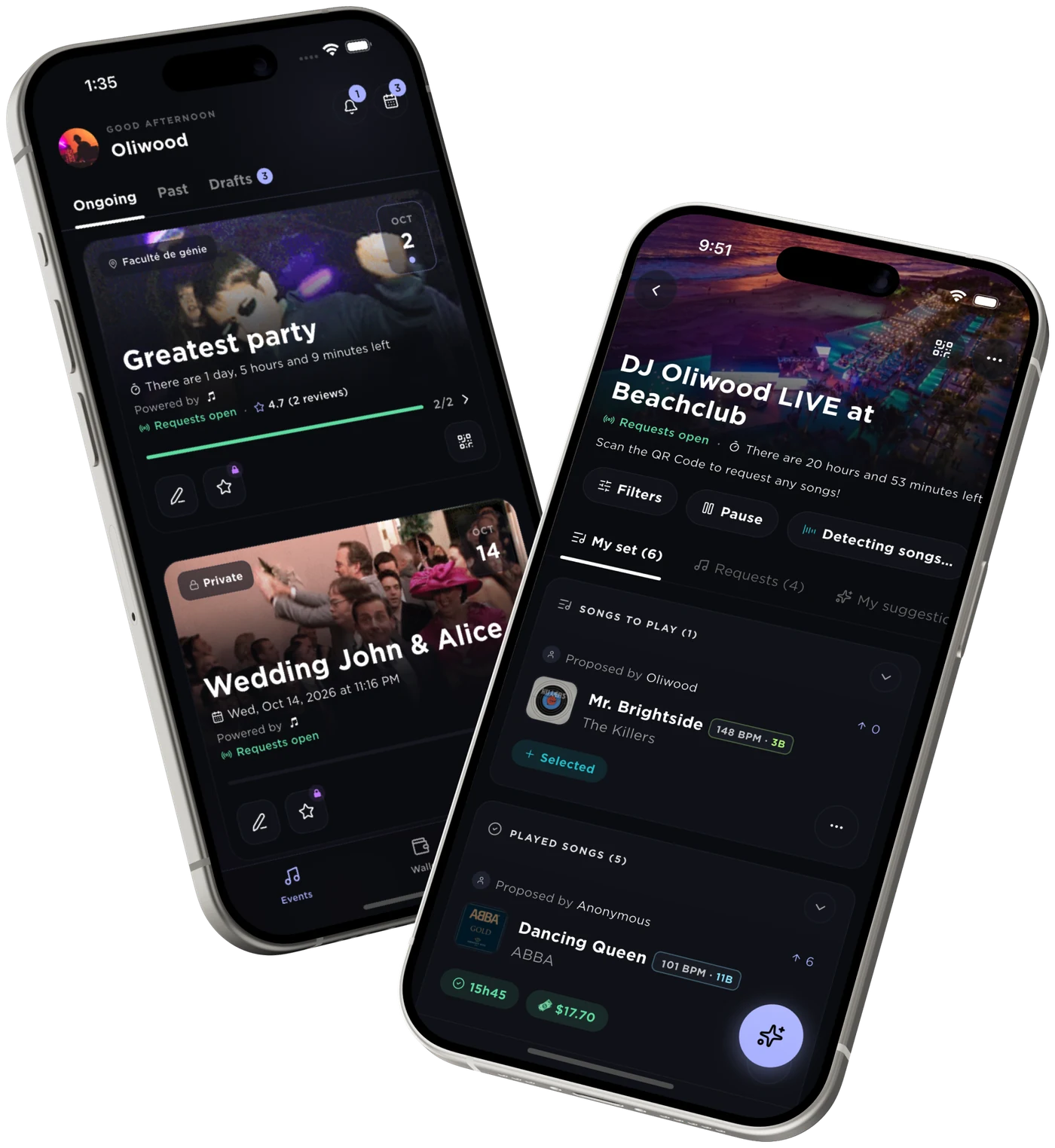
From the first booking to the last dance.
SpecialRequest covers the whole loop: the booking before, the requests during, the follow-up after.
- 01Before
Your booking page
A page in your image, with your banner and a complete form: date, venue, guests, budget, atmosphere. The request lands in your inbox and a draft event is already waiting in the app.
- 02During
The special requests
Create your event in under a minute and share its QR code. Your guests scan, request, vote and leave a tip. You play the room what it really wants, and your set lands in your DJ software.
- 03After
The thank-you email
An hour after the night, your guests get a word from you with your booking page as the button. The next wedding, the next office party: you are the one they call.
How it works
From creating the event to getting your tips paid out, in a few steps.
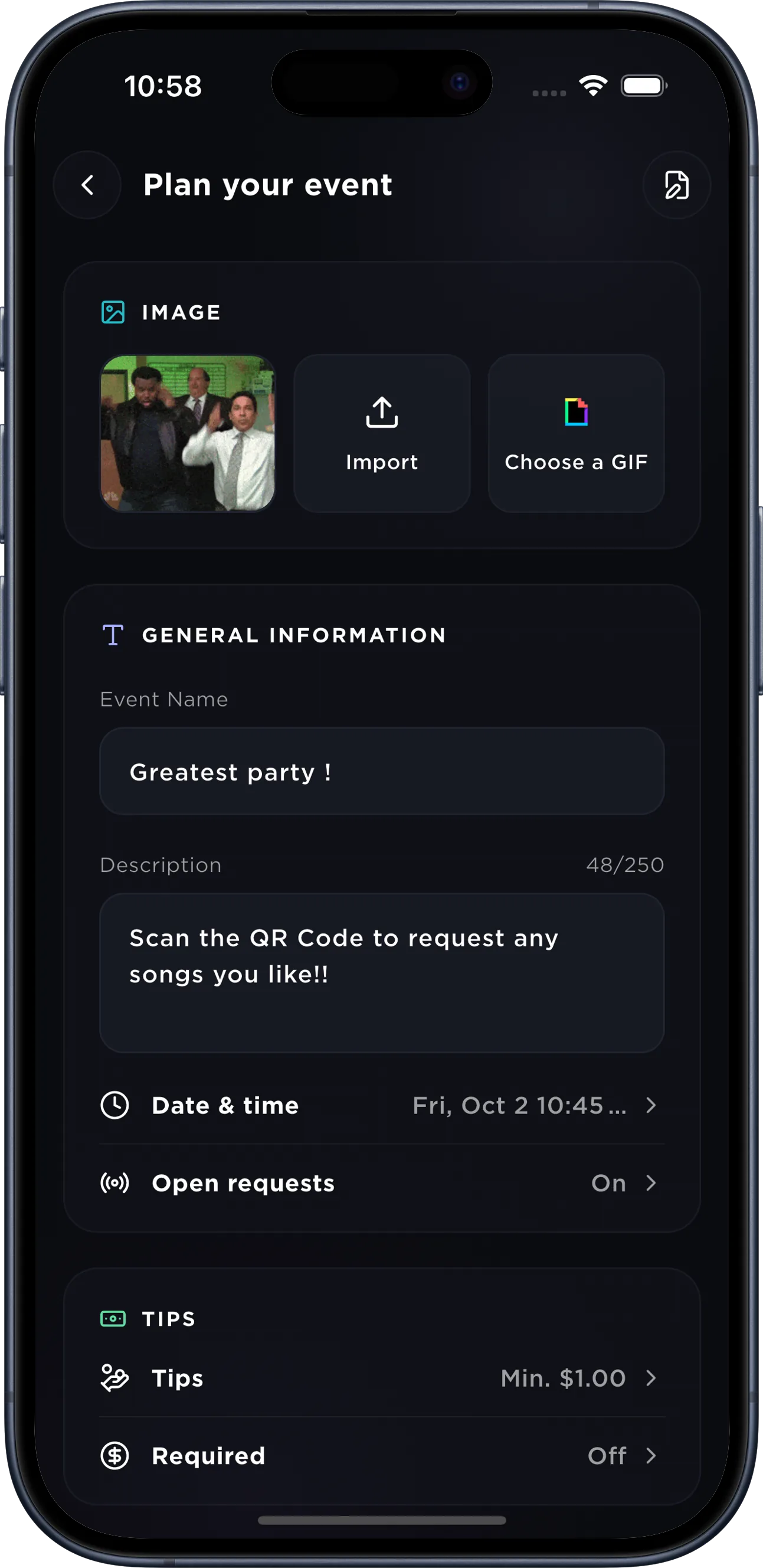
Create your event in under a minute.
Name, picture, date, tips, access code: it all fits on one page. Open requests right away, or keep the event as a draft until the day.
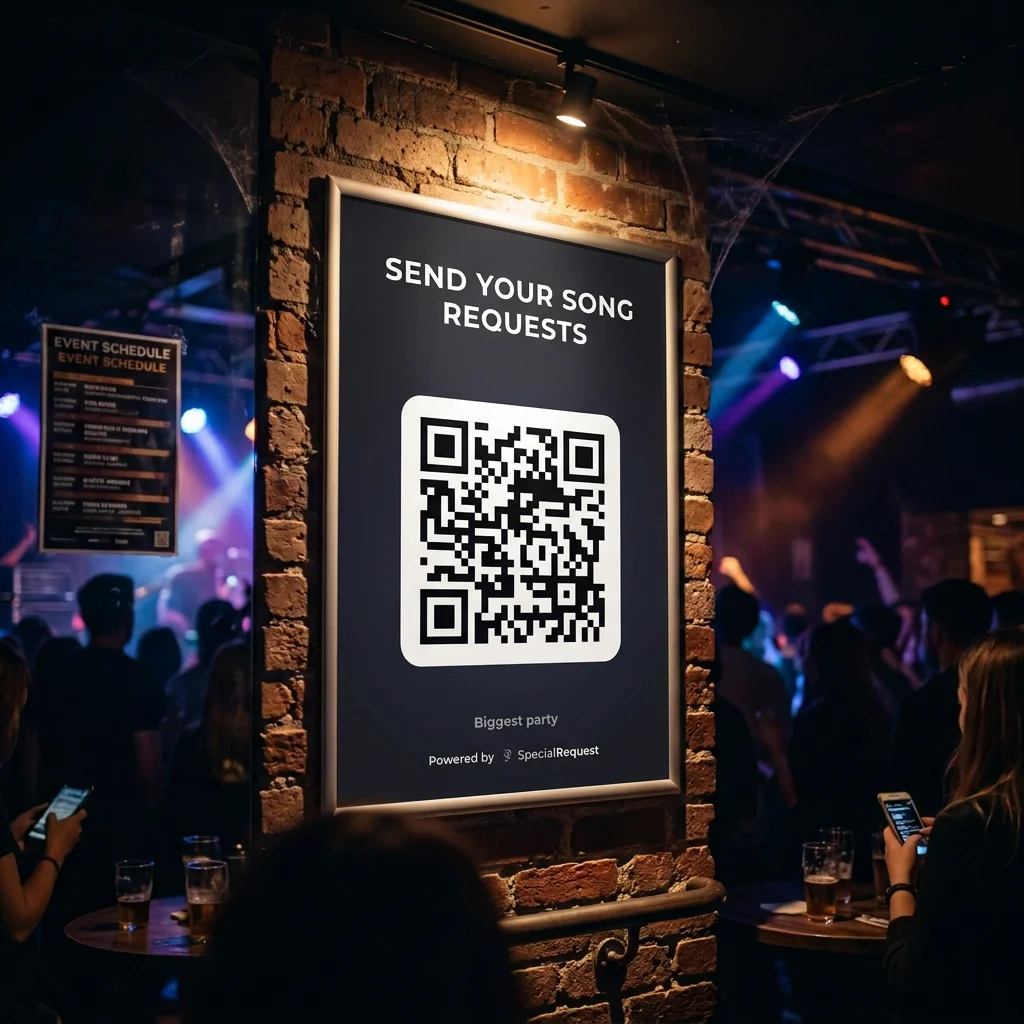
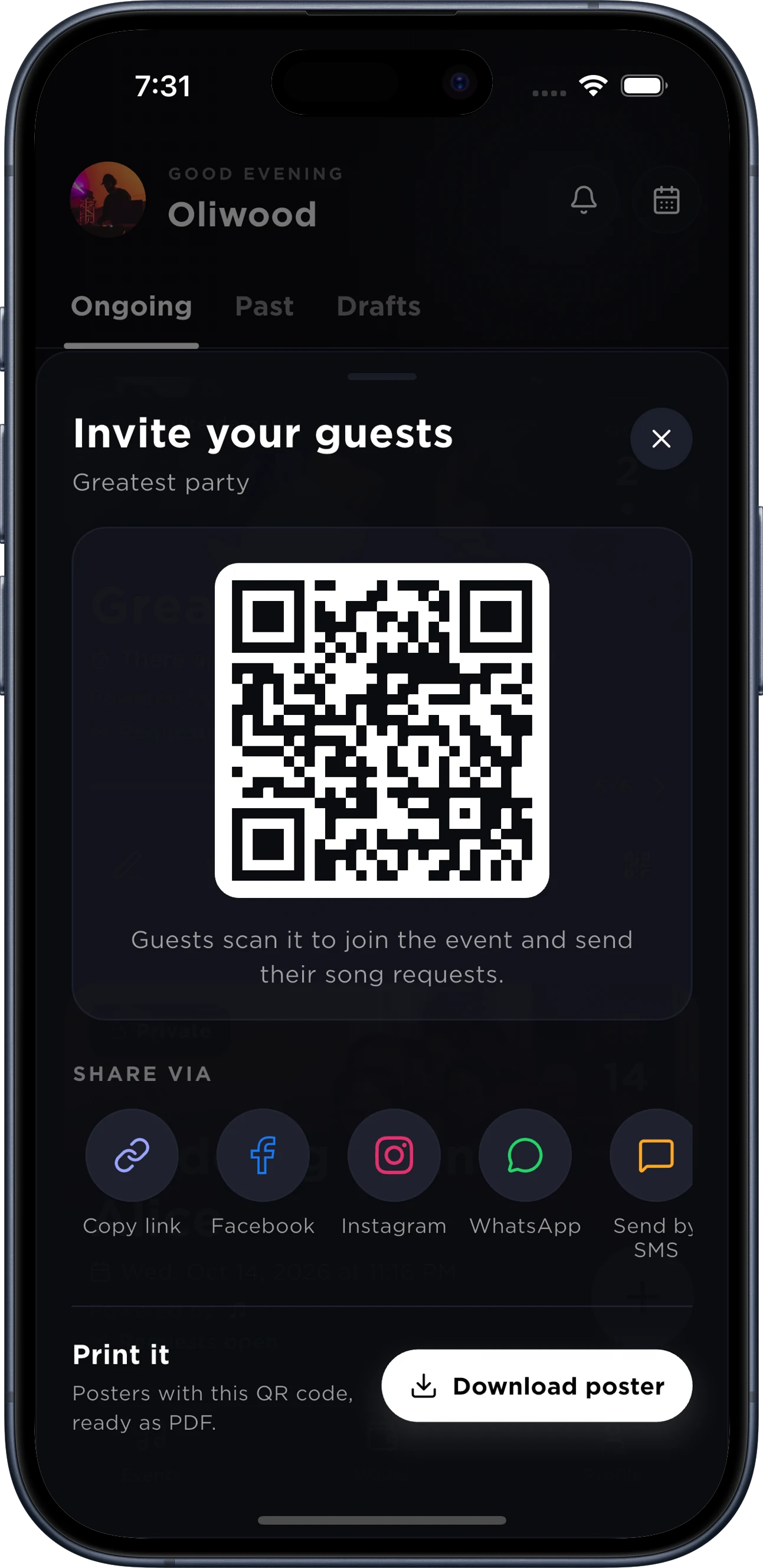
A QR code for every night, on the poster or the screen.
Share the event's link or show its QR code. Guests request from their phone, nothing to install.
Scan, request and vote right away.
Guests scan the QR code to land on the event's page, right in their browser. They look up their song, follow the queue and vote for other requests. With the app, they keep their requests and get the notifications.
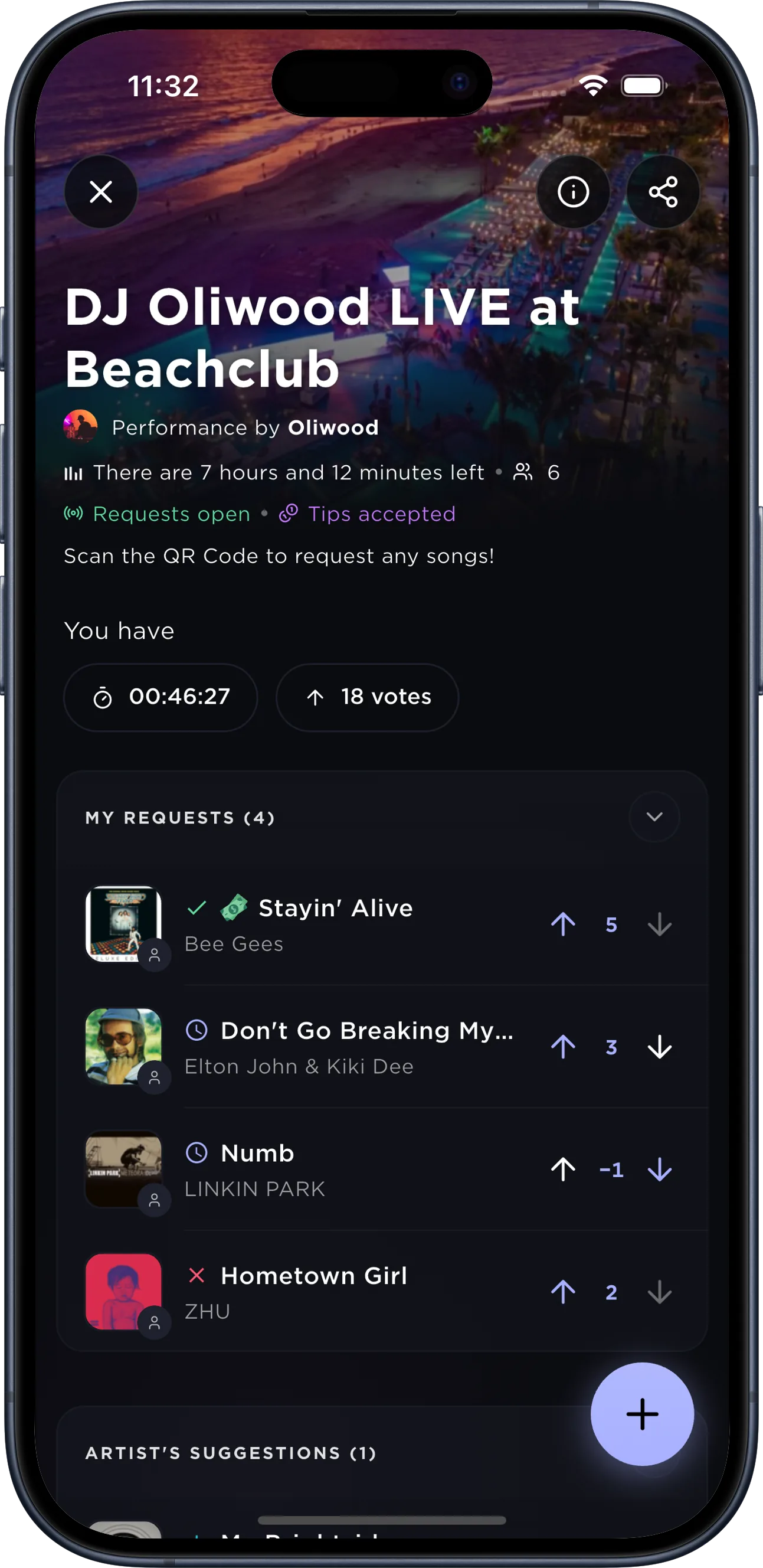
Requests and tips land live.
Guests request, vote and tip: you see at once what the room is waiting for. One tap to accept, decline or drop the song into your set.
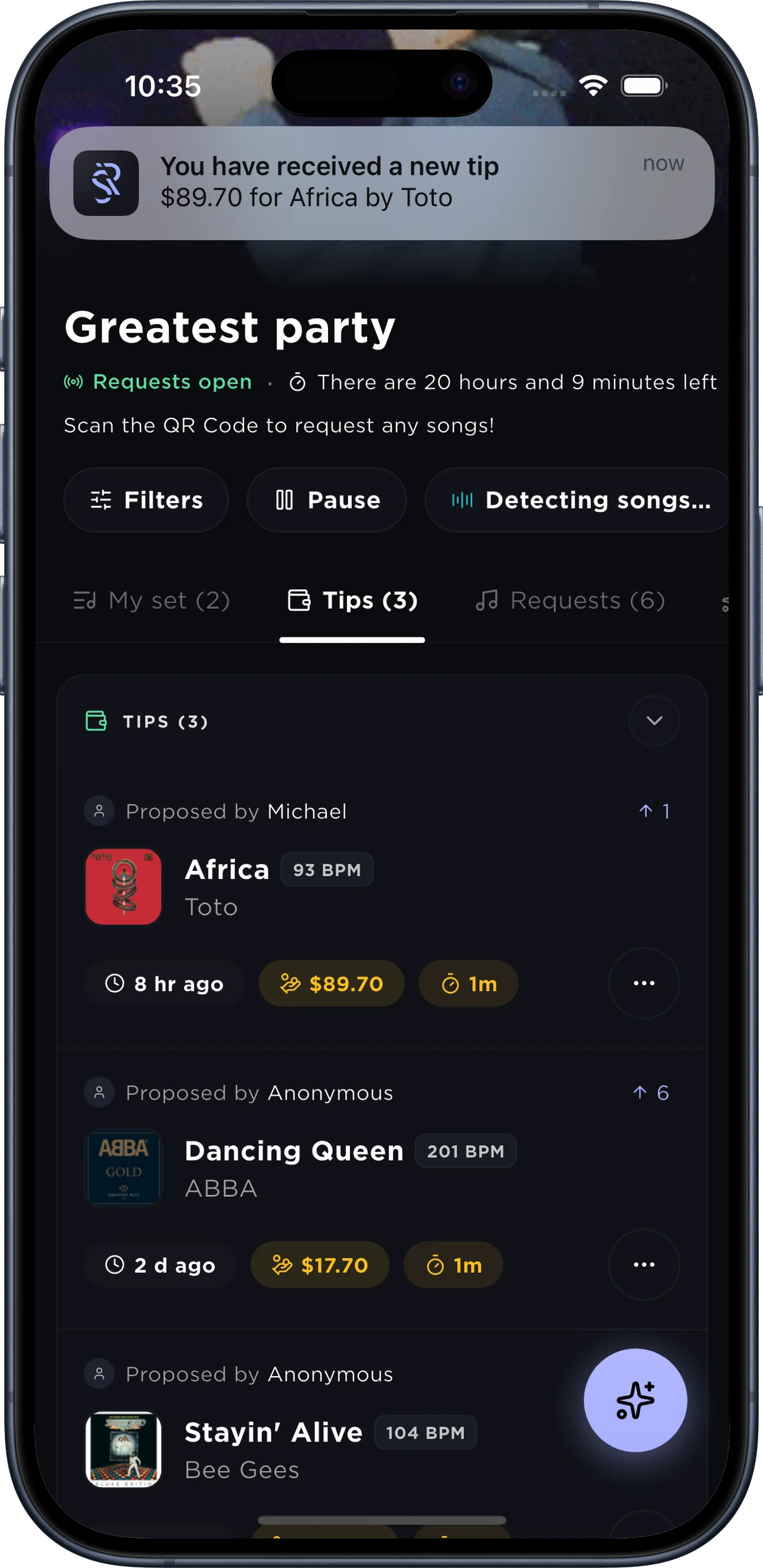
The BPM and key of every request.
Every request shows its BPM and key, so you pick the songs that match the one playing. Tap the key: the Camelot wheel lights up the ones that mix in.
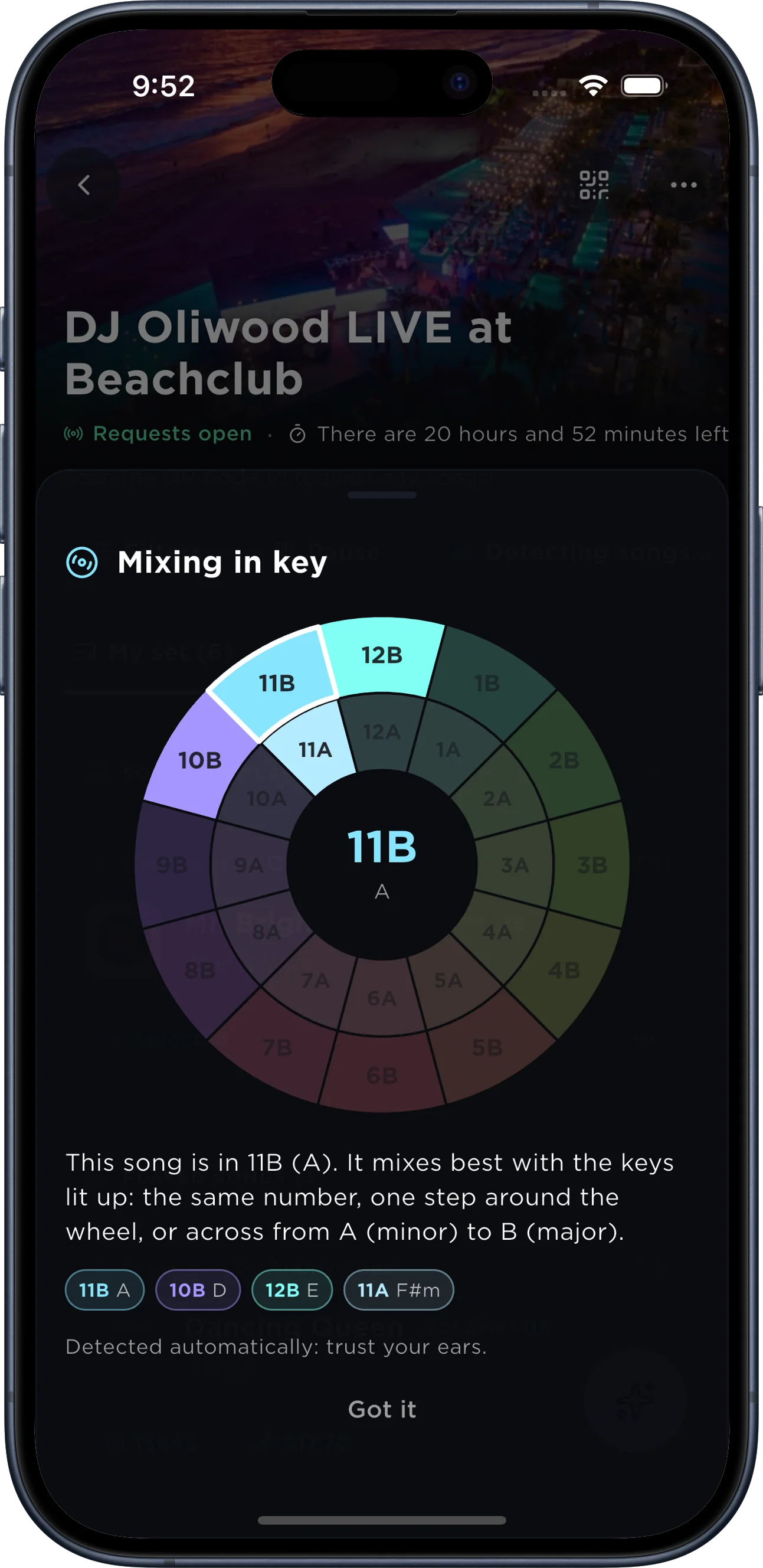
Your set, in your DJ software no copy-paste.
The songs you accept land in a Tidal or Apple Music playlist that Serato, rekordbox, VirtualDJ or djay read straight away.




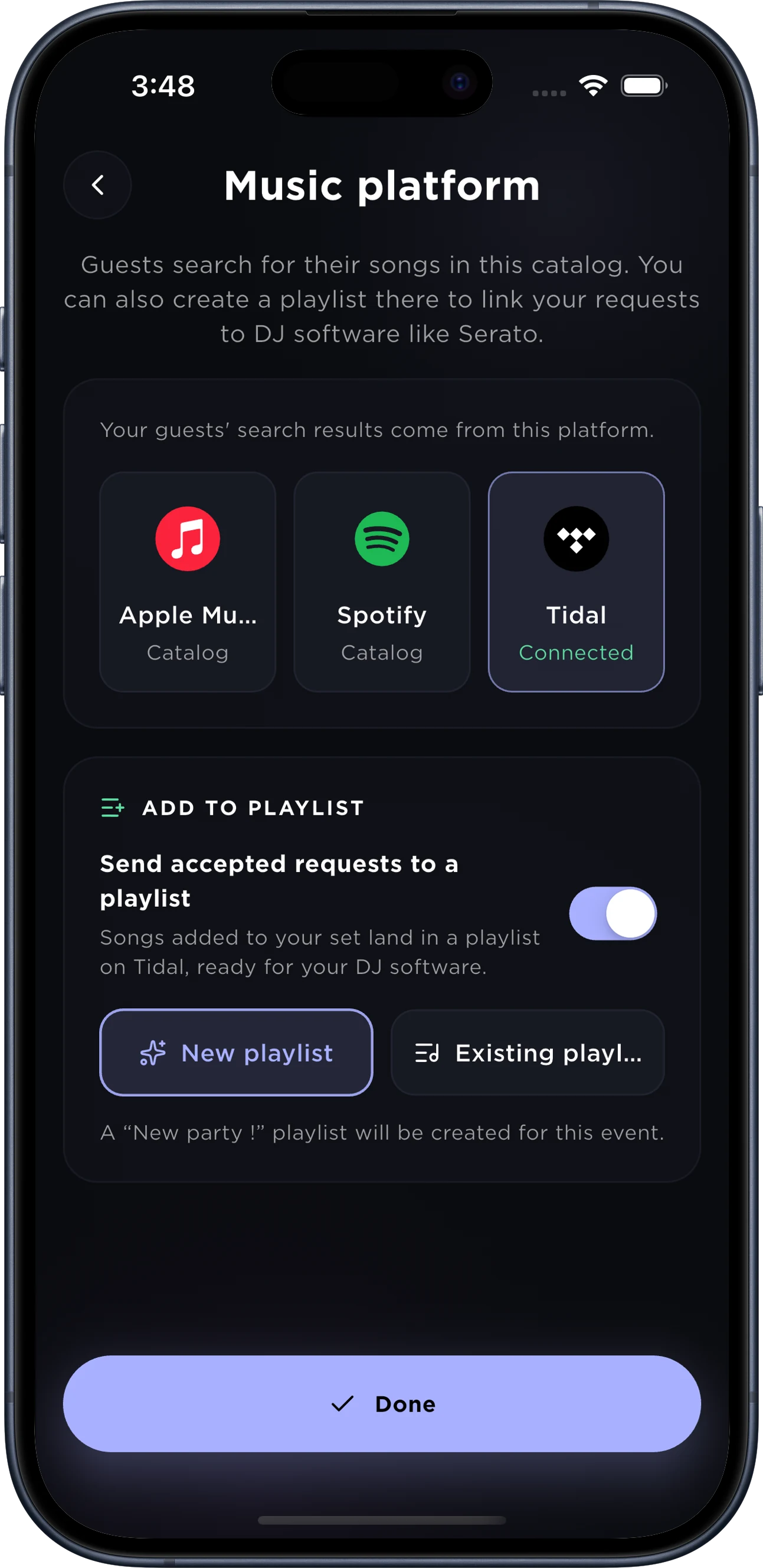
Your tips, paid into your account.
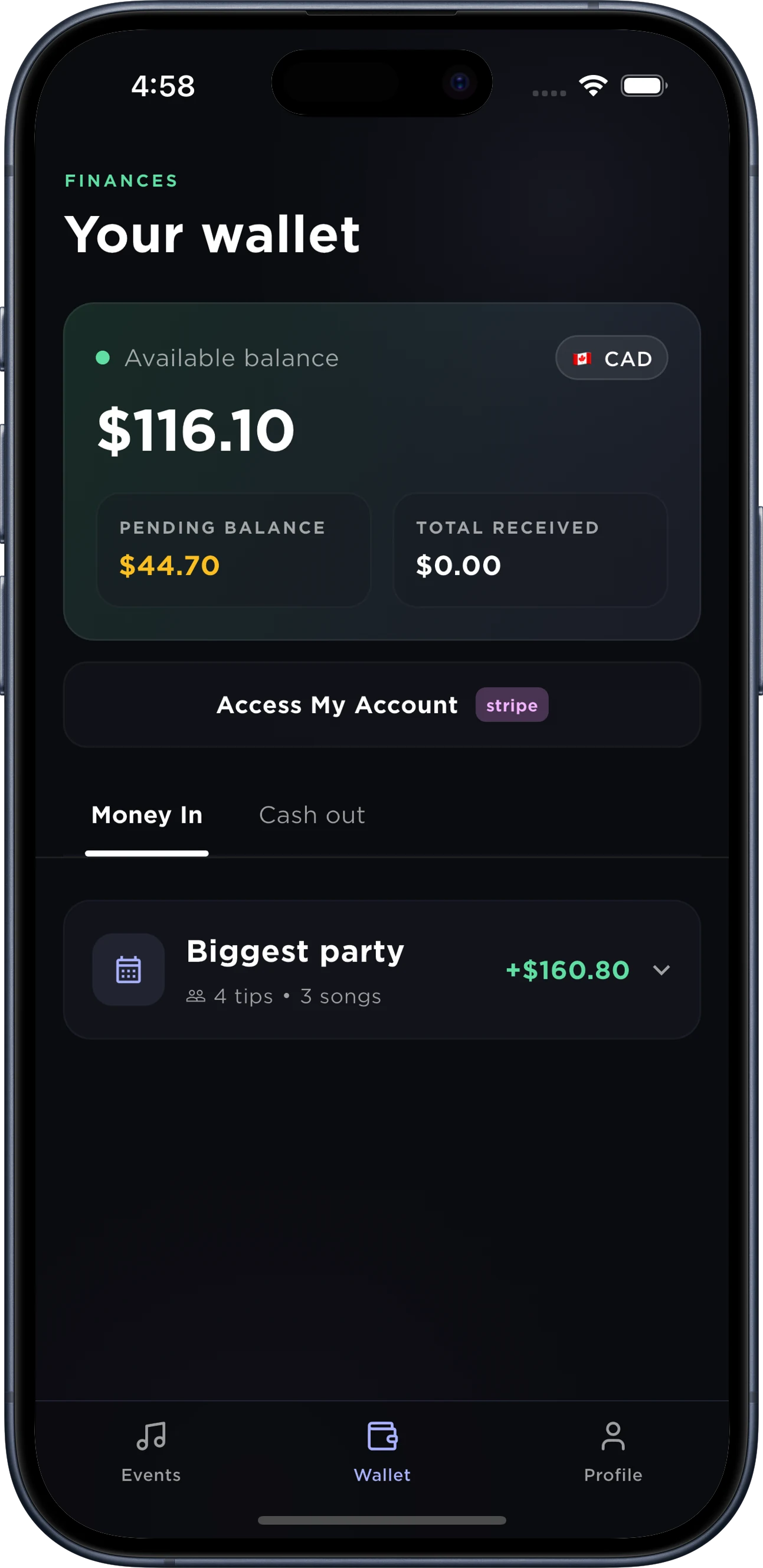
Every night has its total. The available balance goes to your bank account through Stripe; the rest comes in as the songs play.
Why DJs and artists choose SpecialRequest
Everything you need to take the room's requests without losing control of your set.
Instant requests
A request in seconds.
- No app needed
- Anonymous or signed in
- QR code and posters
- Public or private
- Requests in advance
- Dedications
Artist friendly
You stay in control of your set.
- Tips
- Payouts
- DJ software
- Song previews
- Live detection
- Advanced sorting
- Booking page
- Agenda
- Thank-you email
Crowd-powered
The room picks, you decide.
- Votes
- Spotify, Tidal, Apple Music
- Your repertoire
- Your suggestions
- Followers
- Audience reviews
- Overview
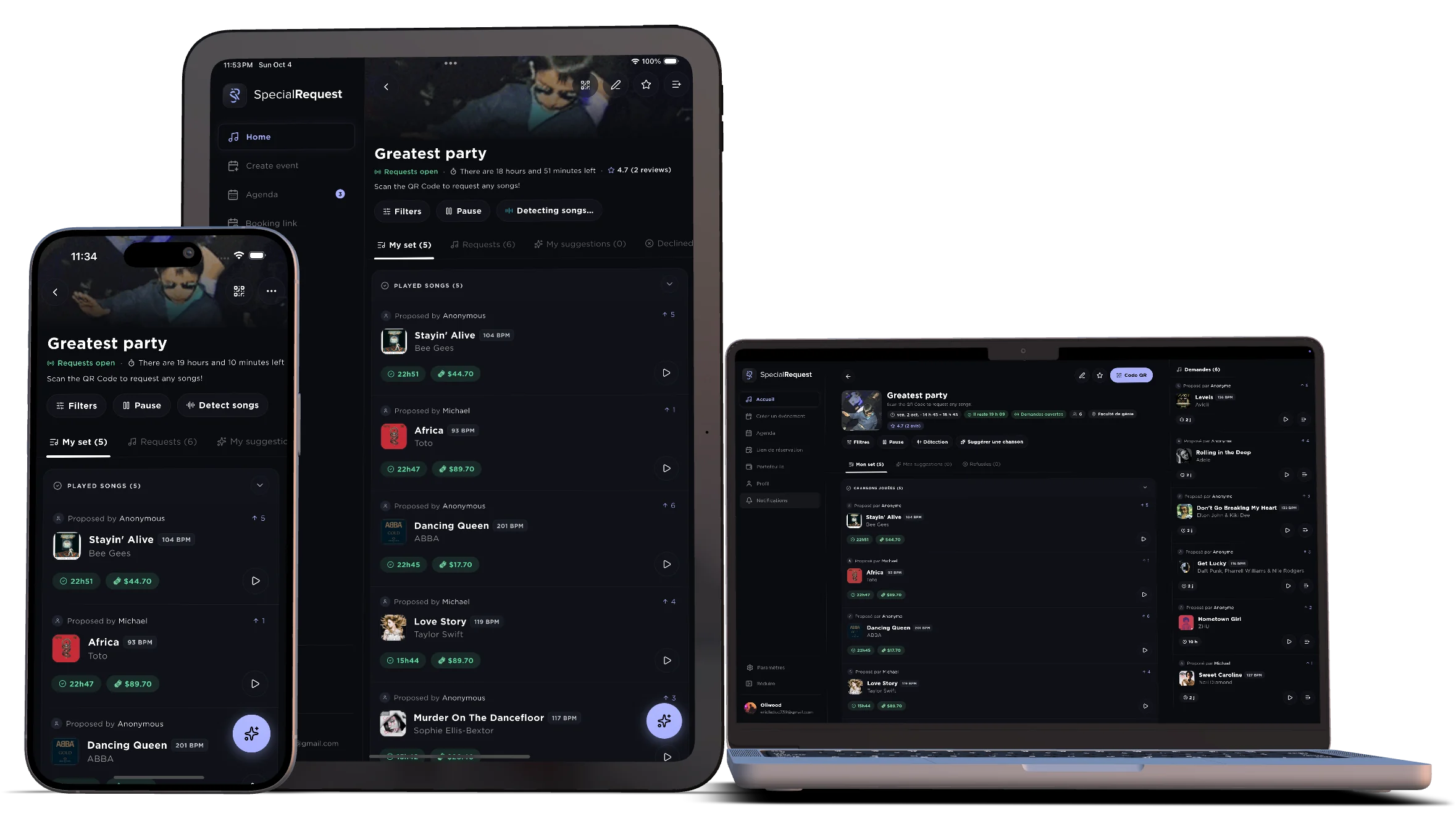
Run your event from phone, tablet, or desktop.
SpecialRequest stays easy to run wherever you manage the night. Open requests from your phone, keep an eye on the queue and tips on iPad, or leave the full dashboard beside your decks on desktop.
Made for every crowd.
Every kind of night has its page: what the app brings to it, and how it works.
With all the features you need.
Cross-platform
SpecialRequest is available on Android, iOS, macOS, and Web. So nearly every modern device can be used to receive song requests.
Repertoire limit
Restrict song requests by choosing a playlist as your repertoire. Guests will only be able to request songs from this playlist.
Dedications & Shout-outs
Let your guests add personal messages to their song requests. Perfect for shoutouts, dedications, and special occasions.
DJ software integration
Get song requests directly into Serato DJ, Rekordbox, djay (Algoriddim), VirtualDJ, Traktor, and more.
Live detection
SpecialRequest automatically detects the songs you play live, so your attention stays where it matters.
Self-promotion
An hour after the night, your guests get a thank-you email in your words, with your booking page as the button: for their next event, you are the one they call.
Kiosk Mode
Set up a dedicated device at your event for guests to request songs from, with built-in safeguards to prevent guests from leaving the event or deleting requests.
Booking page
Share your own booking page. Each booking creates a draft event and instantly emails the planner the song request link, months before the party.
Do guests need to download the app to request a song?
No. Scanning the event QR code opens a web page where anyone can search a song and send a request. The app adds a faster flow, tipping history and the ability to follow artists.
How does tipping work?
A guest can attach a tip to a request. Tipped requests move up the queue and are highlighted on the artist's screen. Artists set a minimum tip per event and cash out from their wallet.
Can I collect requests before the event?
Yes. Create the event ahead of time and share its link — with a wedding invitation, a school newsletter or a club's socials. Requests are waiting for you when the night starts.
Can I keep requests private or VIP-only?
Yes. Enable an access code on the event; only guests who enter the code can request. Private events don't appear on the public venues map.
What does it cost for artists and venues?
Creating events and receiving requests is free. A small service fee is taken on tips; everything else goes to the artist.
Which devices does the artist side run on?
iPhone, Android, tablet and any desktop browser. Many DJs run the web dashboard next to their decks and keep the phone for notifications.
Do I have to play every request?
No. You decide what goes on the setlist. Requests you skip stay in the queue, and guests see whether their song was played.

Redefine your expectations.
Download the app and live the full experience.