
Promote yourself after an event
PremiumA good night is your best advertising. With the Marketing option, your guests get a thank-you email after the event, signed with your name, with a button to your booking page: the next wedding, the next office party, you are the one they call.
01How it works
- 1You write your email once, in Settings.
- 2You turn it on for the events you choose.
- 3An hour after the event ends, your guests get your message, with a button that opens your booking page.
PremiumMarketing is part of Premium, and so is the booking page the email leads to.
02Before you start
The email's button opens your booking page: check your banner, your bio and your contact details before you turn the email on.
If a guest replies to the email, the reply goes to the email in Your contact details on the booking page, otherwise to your account's.
Take bookings online03Write your email
- 1Open Settings, then Marketing.
- 2In Guests' email, tap Use the template to start from ours, or write your own Subject and Message.
- 3Tap the buttons under Insert: to add the guest's name, your name, the event's name or the booking link: they're filled in for each guest.
- 4Choose the Link button text, for example “Book” followed by your name.
- 5Check the Preview, then tap Send me a test to get the email in your inbox.
- 6Tap Save.
The same wording goes out for every event where the email is on. The subject can be up to 150 characters long, the message 1,500 and the button text 60.
Tip:Leave the fields empty to use our template: it then goes out in each guest's language (English, French or Spanish). Without the booking link in your message, a button to your page is added under the text.
04Turn the email on for an event
- 1Open the event form: when creating the event, or with Edit event.
- 2Scroll down to Marketing.
- 3Turn on Email the guests after the event.
- 4Save the event.
The option is off by default and set event by event: you choose the nights worth a thank-you. Right below it, Customize the email opens your wording without leaving the form.
05What your guests get
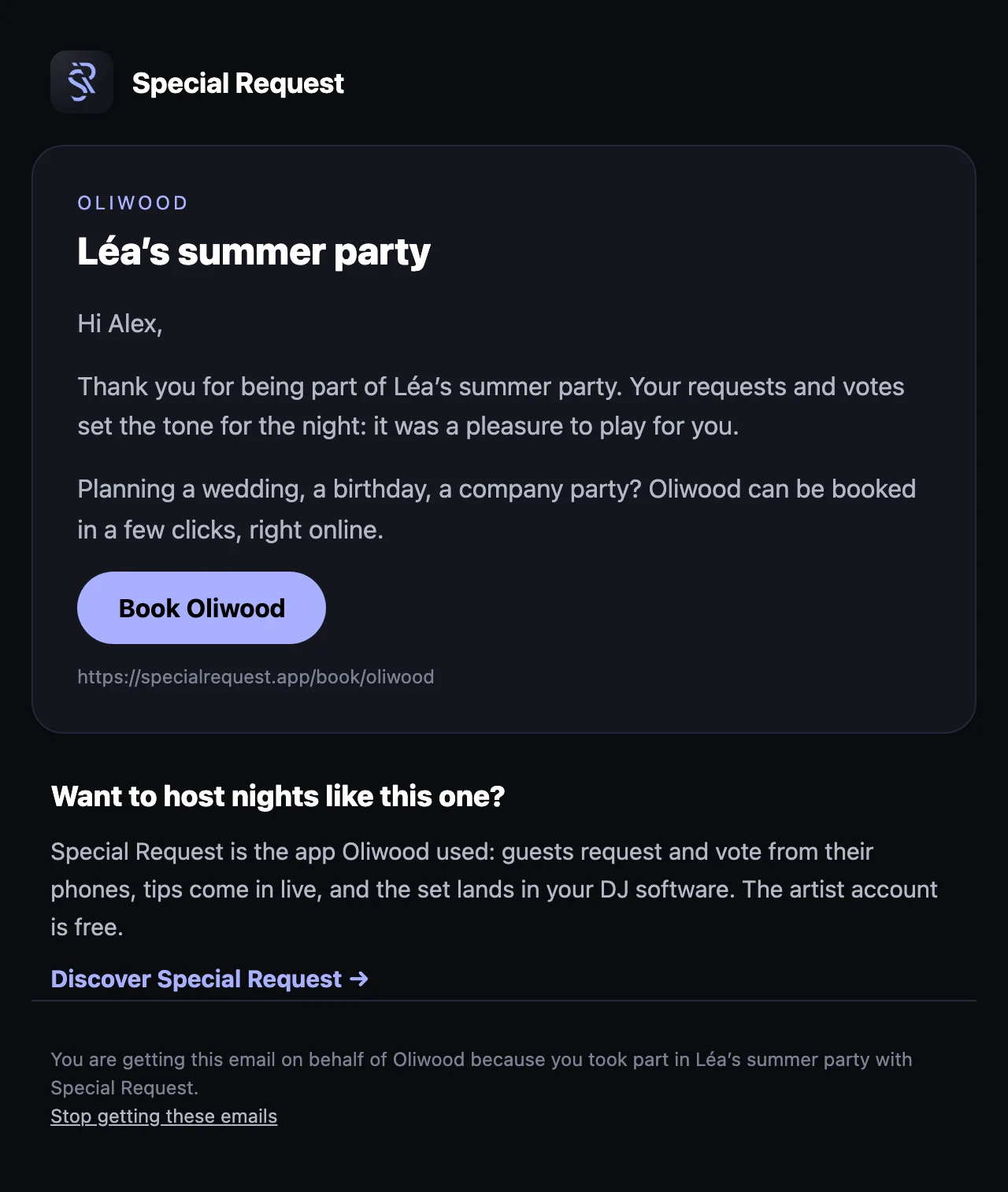
The email carries your name and the event's, then your message and the button to your booking page. Below it, Special Request adds a word for guests who would like to host their own nights, then the unsubscribe link.
06Who gets it, and when
The email goes out an hour after the event ends, once per event.
It goes to the guests who took part in the event and whose account has an email address. Anonymous guests, with no address, don't get it.
Each guest gets it only once per event, and can unsubscribe: they then stop getting these emails.
Your Premium plan must be active when the email goes out.